License File Update
Info
All manipulations with the license file can be done only over the Auxiliary connection.
- Establish an Auxiliary connection with the SkyHub.
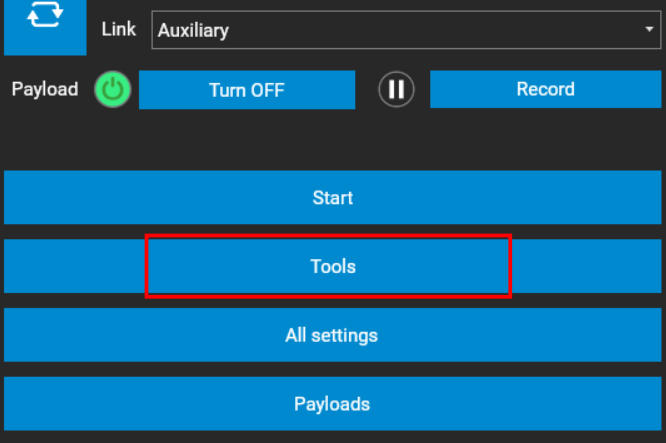
- Navigate to the Tools section.
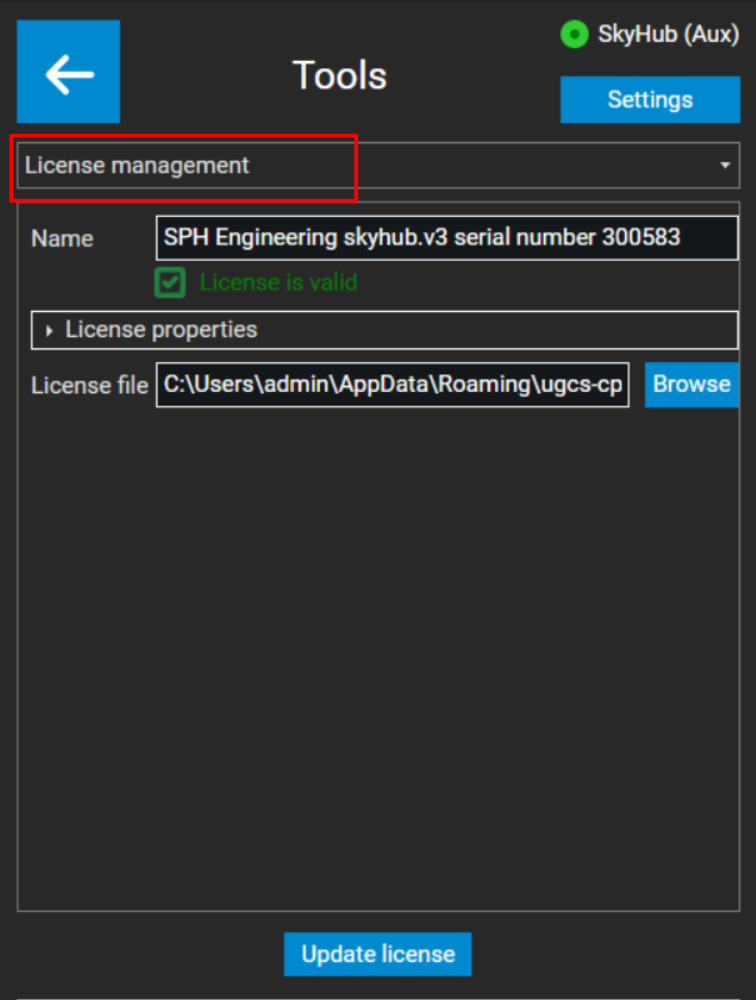
- Next, from the drop-down list, select License management.
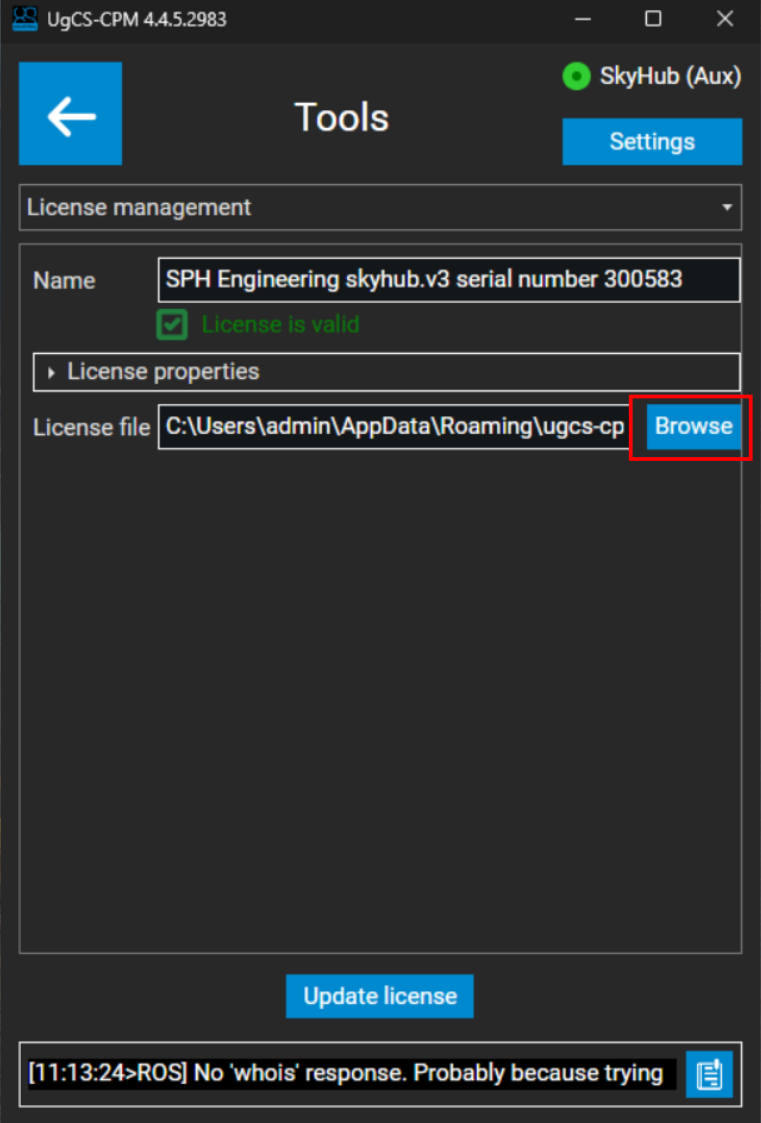
- Now click the Browse button and select the license file you wish to upload to SkyHub.
Note
SkyHub license file is in the following format: License-******.lic
Where ****** represents the serial number of your SkyHub.
Tip
If you do not have a license file or need a new one, please reach out to us at support@ugcs.com and provide your SkyHub serial number.
- When the license file is selected, press the Update license button.
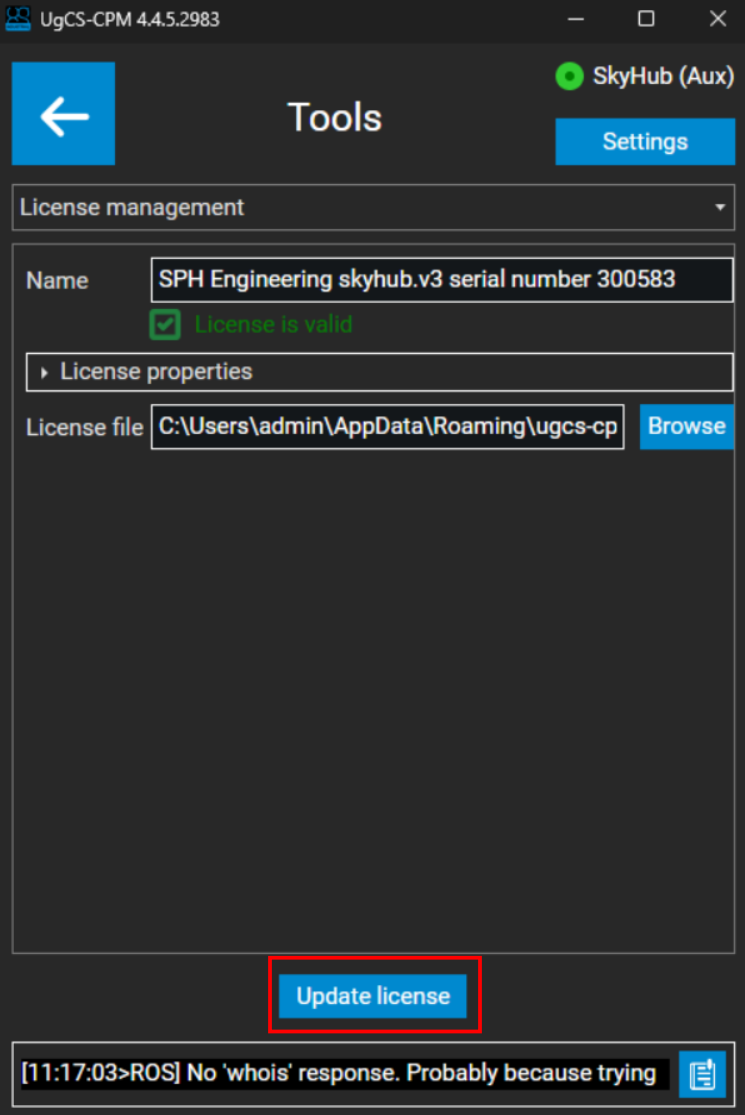
License update is complete.