Setup Interface to PX4
Info
SkyHub can be connected to the flight controller flashed with the PX4 1.10.x or higher firmware.
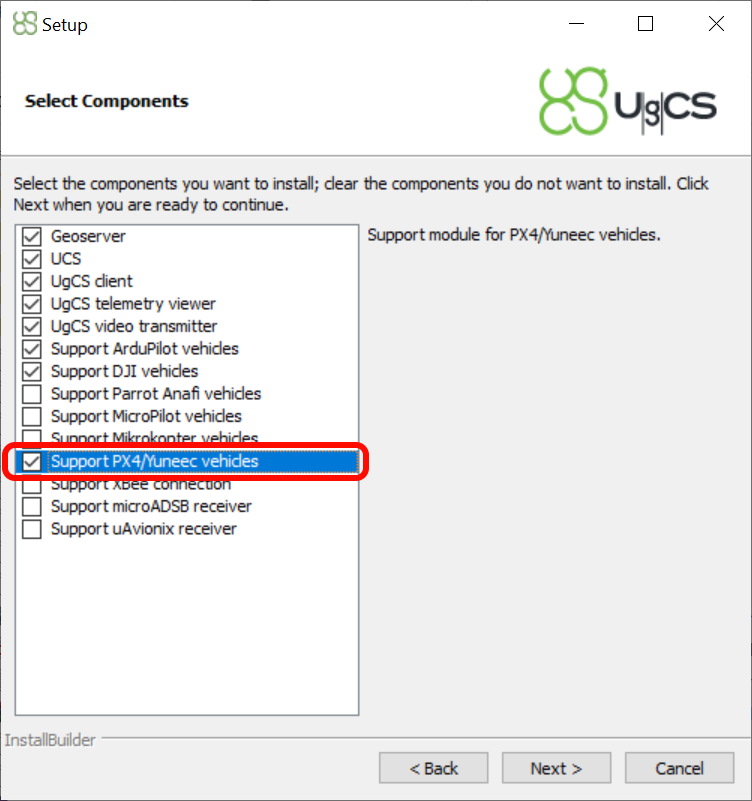
Make sure UgCS version 4.3 or higher is used (download links can be found in the Preparation section) and VSM for PX4 vehicles is installed.
- Configure
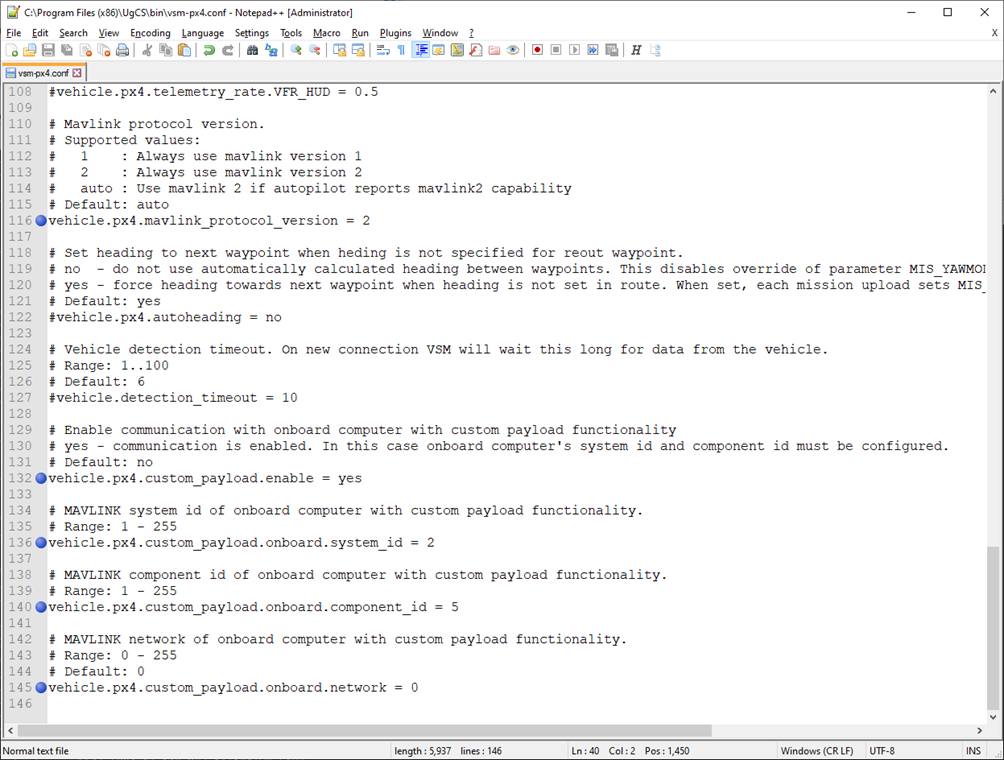
UgCS PX4 VSM. Openvsm-px4.confin a text editor with administrator privileges. The file is located in the UgCS installation folder (default pathC:\Program Files (x86)\UgCS\bin). Find, uncomment, and adjust the following settings if needed.
- Connect the SkyHub to the drone and power on the system.
- Launch the UgCS-CPM software on your computer.
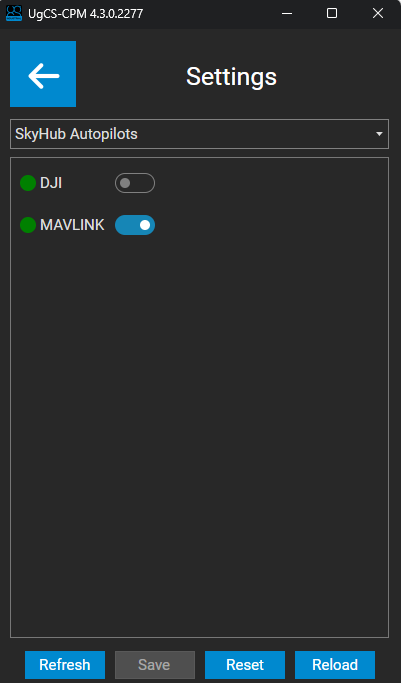
- Navigate to “Settings”, from the drop-down list select “SkyHub Autopilots” and enable “MAVLINK”.
Note
Only one autopilot may be enabled at a time. In this case, DJI should be disabled.
- Restart SkyHub.
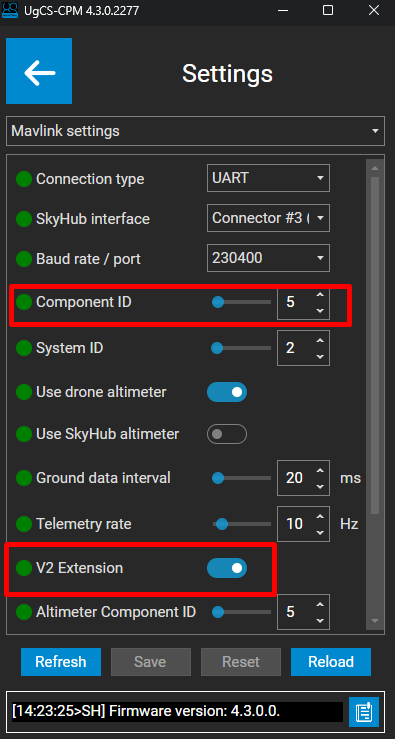
- Make sure that the UgCS PX4 VSM parameter
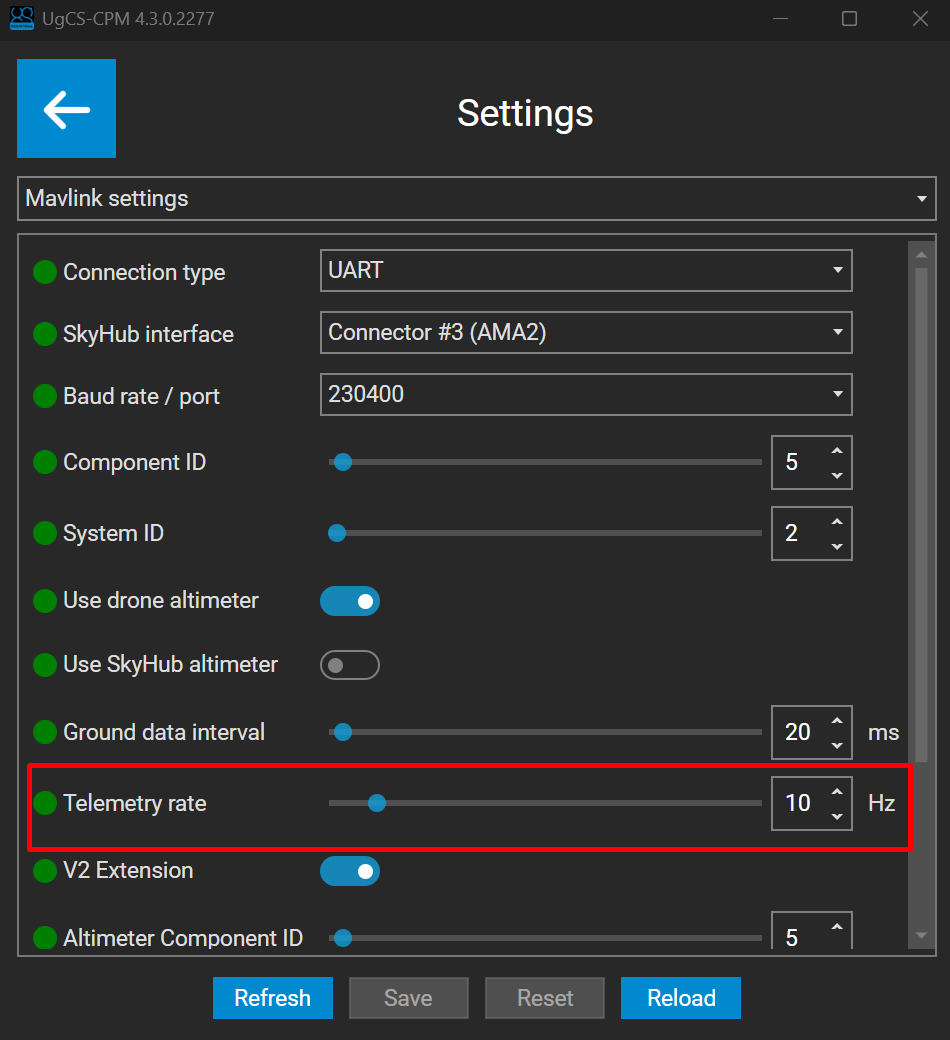
vehicle.px4.custom_payload.onboard.component_idis equal to theComponent IDvalue in the MAVLink settings within the UgCS-CPM. - Make sure that the V2 Extension parameter is enabled.
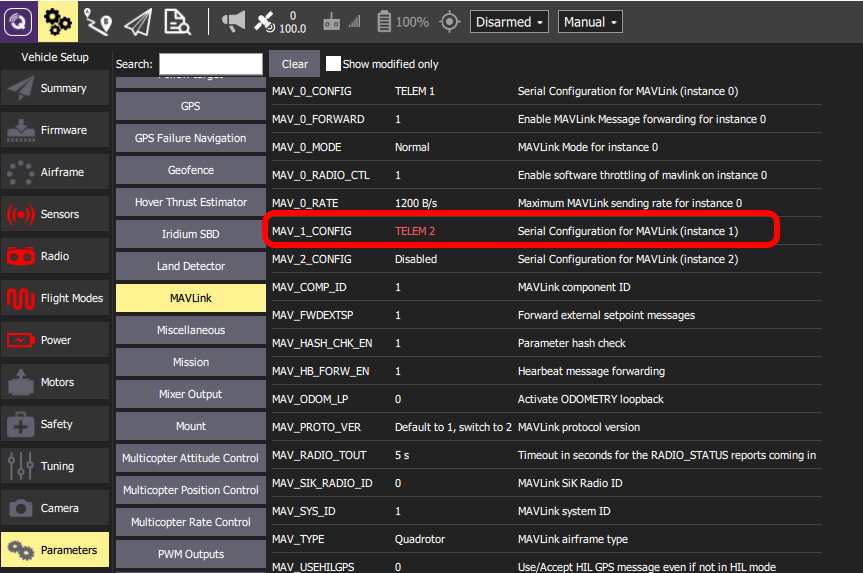
- If SkyHub is connected to telemetry port 2, open the QGroundControl application, then go to Parameters -> MAVLink and set the parameter
MAV_1_CONFIGtoTELEM2.
- Restart the autopilot.
- After a restart, data forwarding for
TELEM2autopilot telemetry ports should be enabled. Set the parameterMAV_1_FORWARDto1.

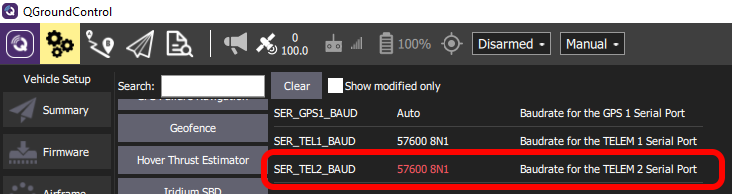
- Change the baud rate for the TELEM2 Serial Port (recommended 230400). Speed should be the same as configured on the SkyHub side in the MAVLink settings within the UgCS-CPM.
Note
SkyHub subscribes to the following MAVLink messages, with the telemetry rate defined by the Telemetry rate parameter in the MAVLink settings within the UgCS-CPM:
GPS2_RAW; GPS_RAW_INT; GLOBAL_POSITION_INT; ATTITUDE; SYSTEM_TIME; HEARTBEAT; DISTANCE_SENSOR