Medusa Radiometer
Info
When using a Medusa spectrometer in combination with the SkyHub, both systems need to be configured to send and receive data.
Prerequisites
Software
- The Medusa spectrometer with a mDOS software version of V3.2 - Build 420 or higher.
- The SkyHub with a GNSS output software version of 4.1.2 and higher.
- A Universal driver and True Terrain Following license for the SkyHub.
Hardware
- SkyHub (firmware version 4.2.1 and up)
- MDC-510 cable to have power and communication between the Medusa sensor and the SkyHub.
- Optionally for height measurements: a Lidar or Radar altimeter, compatible with the SkyHub.
- Optionally: For DJI M350 integration the MSB-302 mounting brackets are recommended.
Configuring the SkyHub
Enabling the output of GPS and altitude readings to the Medusa sensor, and accepting data coming from the Medusa sensor to the SkyHub can be done by configuring in CPM software.
Note
For users of SkyHub 4.2.1, configurations need to be made directly in the skyhub.conf file instead of using CPM software.
GPS and altitude
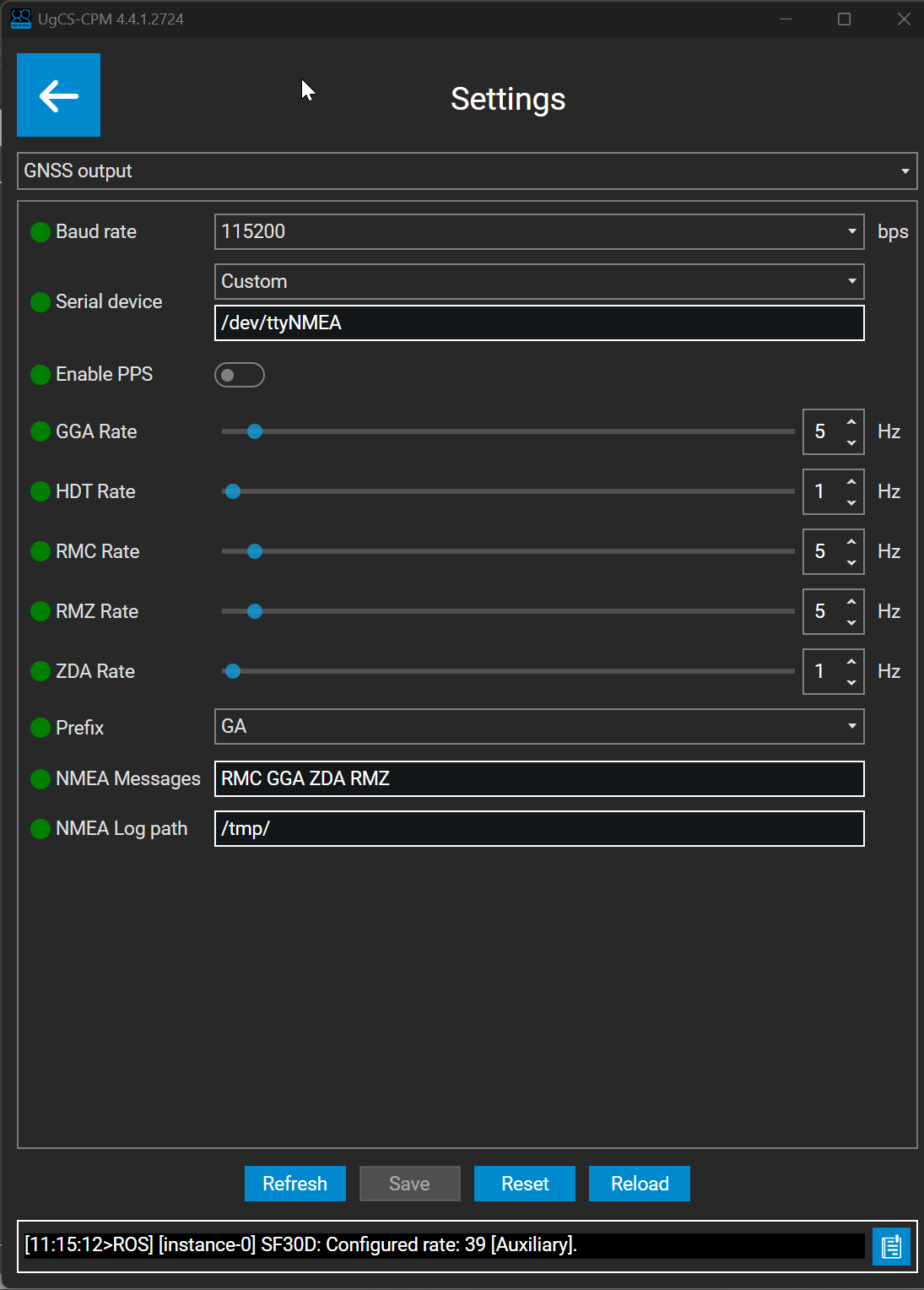
Modify the GNSS output in the All Settings section of CPM. Use Custom serial device /dev/ttyNMEA, baudrate 115200, prefix GN and include RMC GGA ZDA and RMZ messages. NMEA Log path should be set to /tmp.
Universal driver
The SkyHub offers the possibility to stream data from the Medusa sensor over the drones radiolink to the ground station. This can, for example, be displayed on the remote controller of the DJI M300/M350, and can be monitored in Custom Payload Monitor.
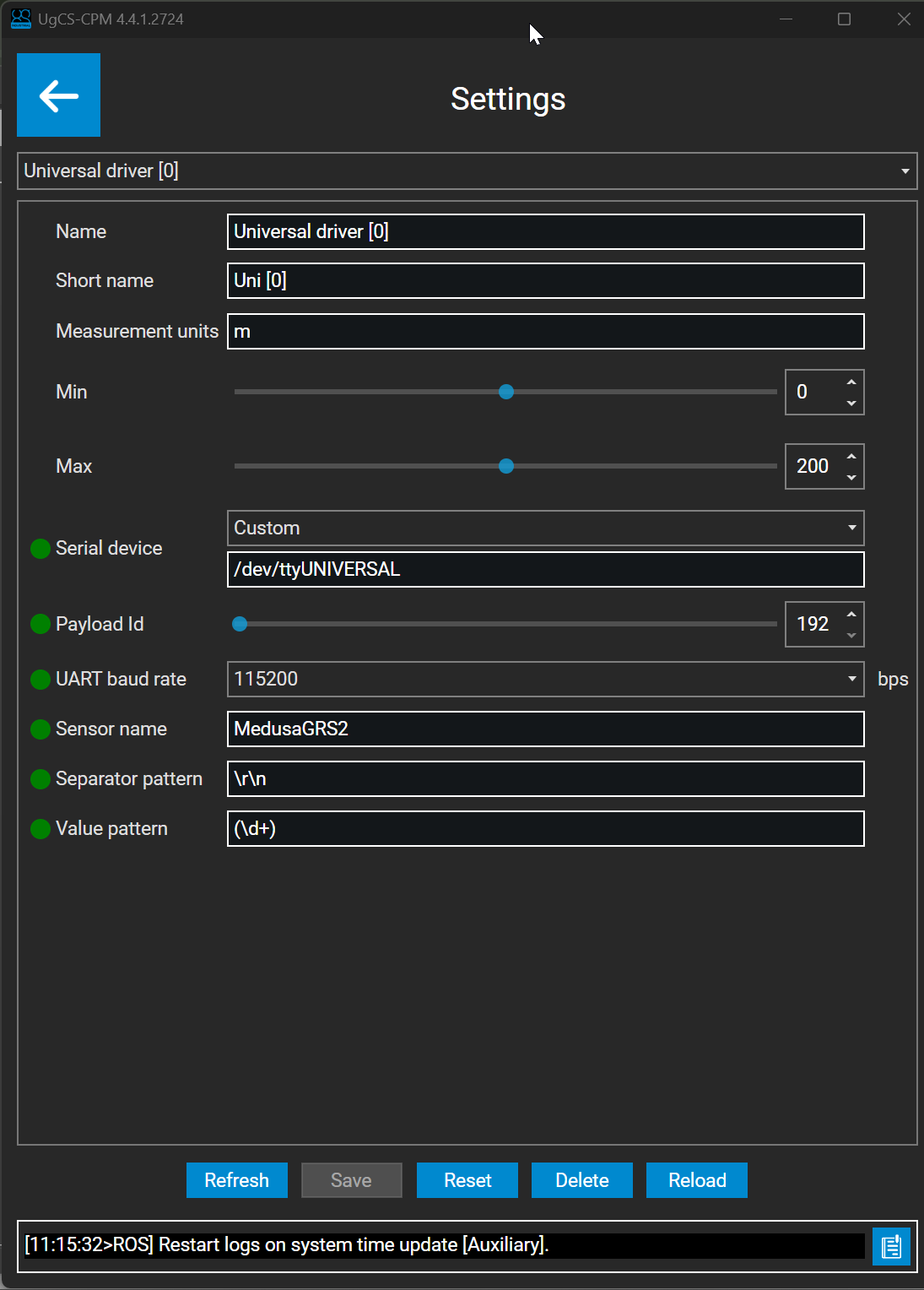
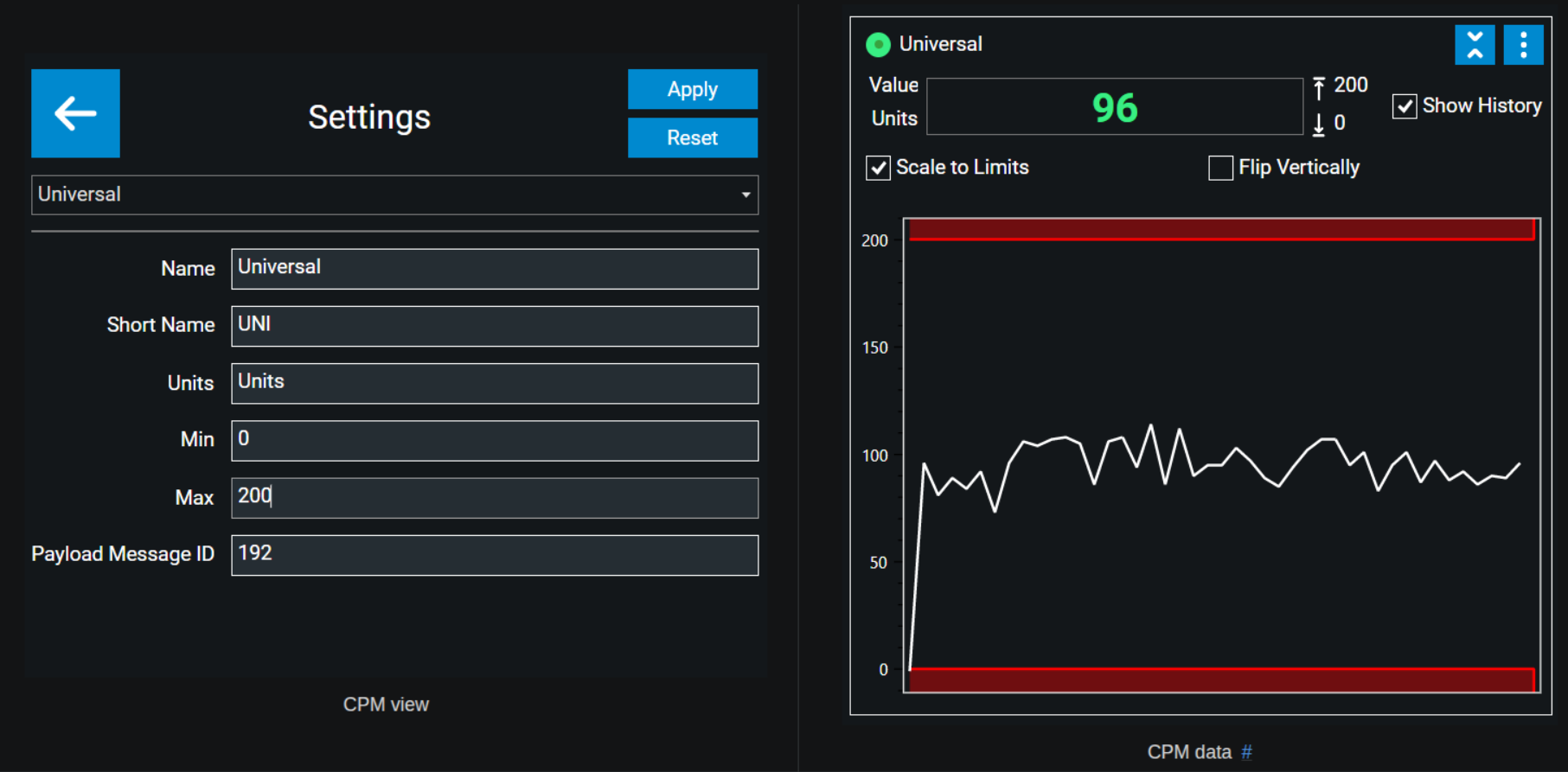
Universal driver configuration has to be done in CPM by adding Universal driver widget. Serial device has to be set to /dev/ttyUNIVERSAL, baudrate to 115200. Separator pattern for the values is \r\n and Value pattern is (\d+).
Allowing both services
The configuration below is for enabling both the input and output datastream. When only one stream is needed, the optional port splitting is not needed and the SERIAL_DEVICE=/dev/ttyNMEA and SERIAL_DEVICE=/dev/ttyUNIVERSAL should be replaced with SERIAL_DEVICE=/dev/ttyAMA3.
By default the SkyHub can also accept either a input or output stream on the same port. Therefore a program needs to be enabled that splits the input and output stream.
This is done by:
- Copy the attached
medusa.servicefile to the following path on the SkyHub:/etc/systemd/system/medusa.service - Copy the attached
createVirtualPorts.pyto the following path on the SkyHub:/root/
Then, while logged in on the SkyHub via ssh, execute the following commands:
Info
# Reload daemon
sudo systemctl daemon-reload
# Enable the medusa service
sudo systemctl enable medusa.service
# Start the service
sudo systemctl start medusa.service
Finally, reboot the SkyHub and the configuration is complete.
Attachments
Configuring the Medusa spectrometer
The spectrometer needs to be configured by using the mDOS interface on the data tab. Consult the mDOS manual for access to this page.
GPS and altimeter input
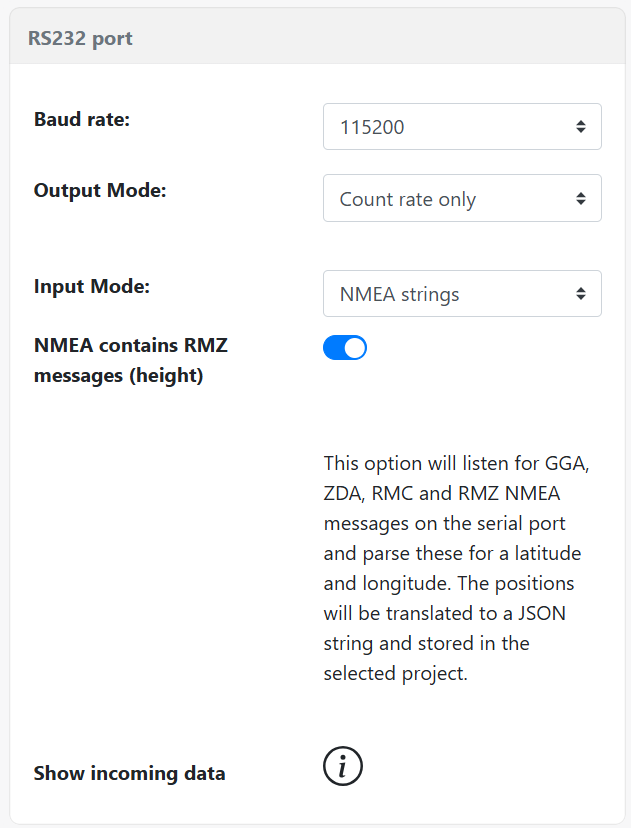
The input mode has to be configured as “NMEA strings”. Enable the NMEA contain RMZ messages, to enable parsing of altitude readings.
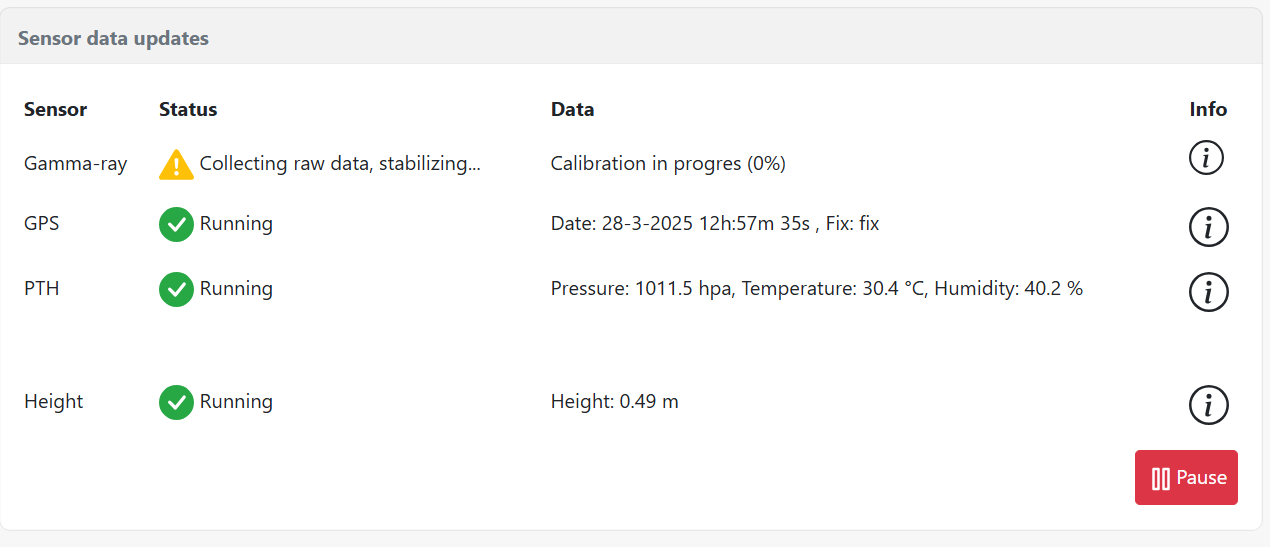
RMZ altitude and GPS readings will become visible on the mDOS dashboard page. The sensor readings look as following:
Internal and external GPS
The Medusa sensor also has an internal GPS. When using the external SkyHub GPS, it is recommended to disable the internal GPS so that one GPS source is used. This can be done on the settings tab in mDOS.
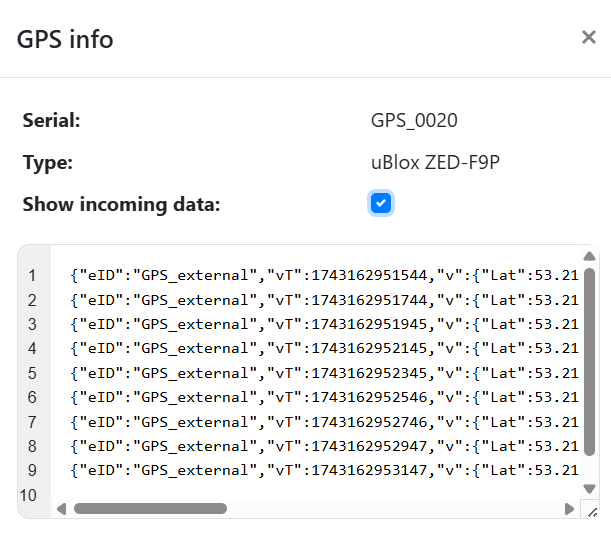
The GPS can be inspected on the dashboard page by using the inspect datastream icon. GPS records sent from the SkyHub have the eID “GPS_external” as shown in the screenshot below.
Medusa data output
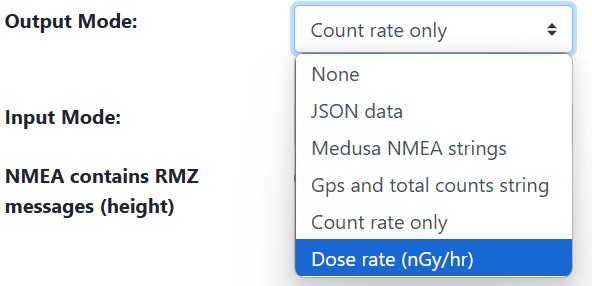
When using the Universal driver capabilities of the SkyHub the detector needs to be configured to stream data to the SkyHub. This is done by selecting an output mode on the same data tab. Currently, the SkyHub supports Count rate only and Dose rate streaming.
Note
For calculating a dose rate, the detector needs to be stabilized. Depending on the sensor size, this can take up to several minutes. The progress of stabilization can be seen on the dashboard tab of mDOS. While the sensor is not stabilized, no dose rate will be sent to the SkyHub.

When the above configuration is set the count rate or dose rate can be seen in Custom Payload Monitor (CPM) and on the remote controller of the DJI drone when using the UgCS Companion app.
UgCS Companion
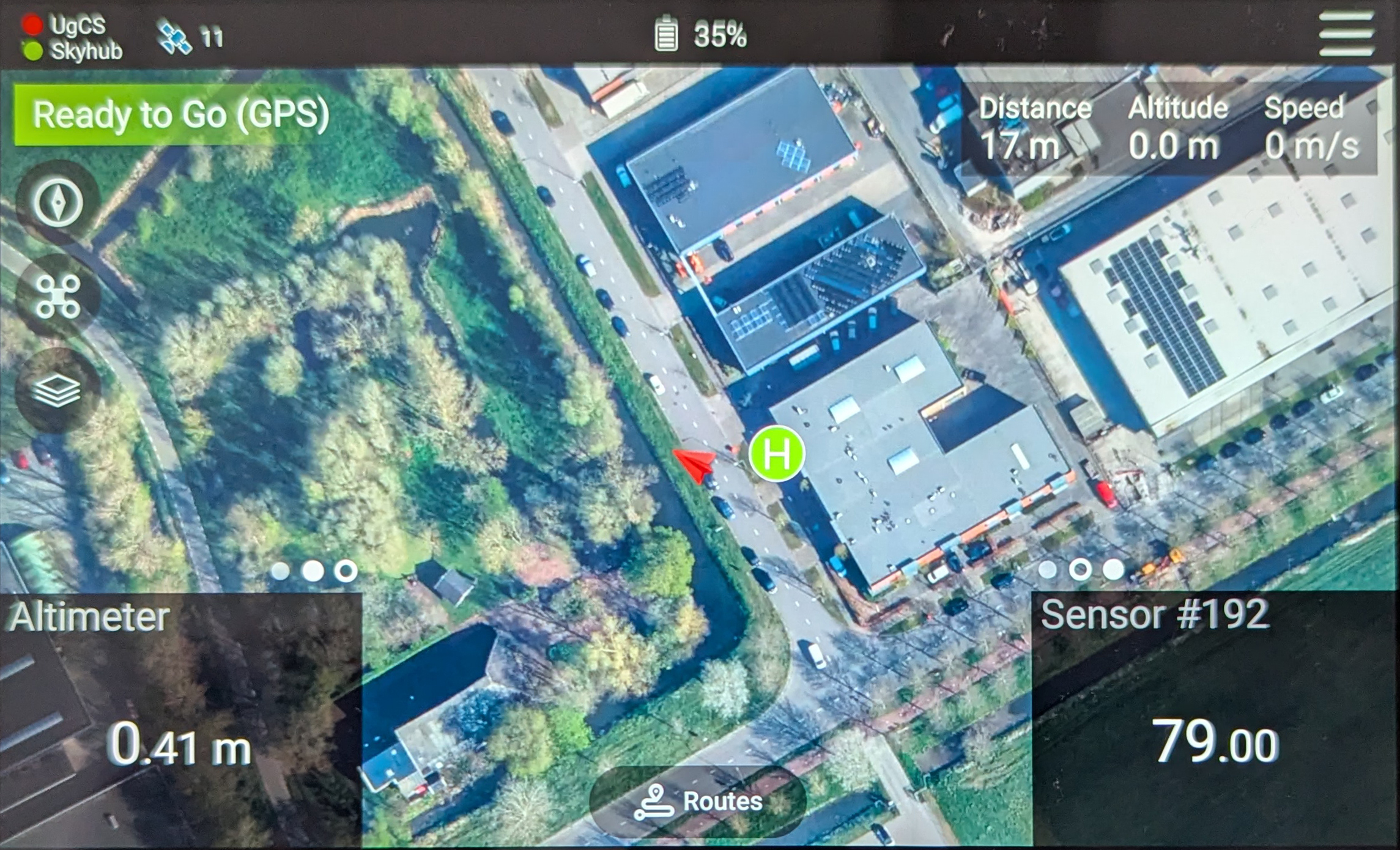
Below is a screenshot of the UgCS Companion app with a Medusa MS-100 sensor configured according to the above described protocol. In the bottom left corner the radar altimeter readings are displayed, and in the bottom right corner the count rate of the Medusa sensor.