2. Setup Interface to ArduPilot#
SkyHub can be connected to the flight controller flashed with the ArduPilot 4.x.x firmware.
Make sure UgCS version 4.3 or higher is used (download links can be found in Preparation section) and VSM for ArduPilot vehicles is installed.
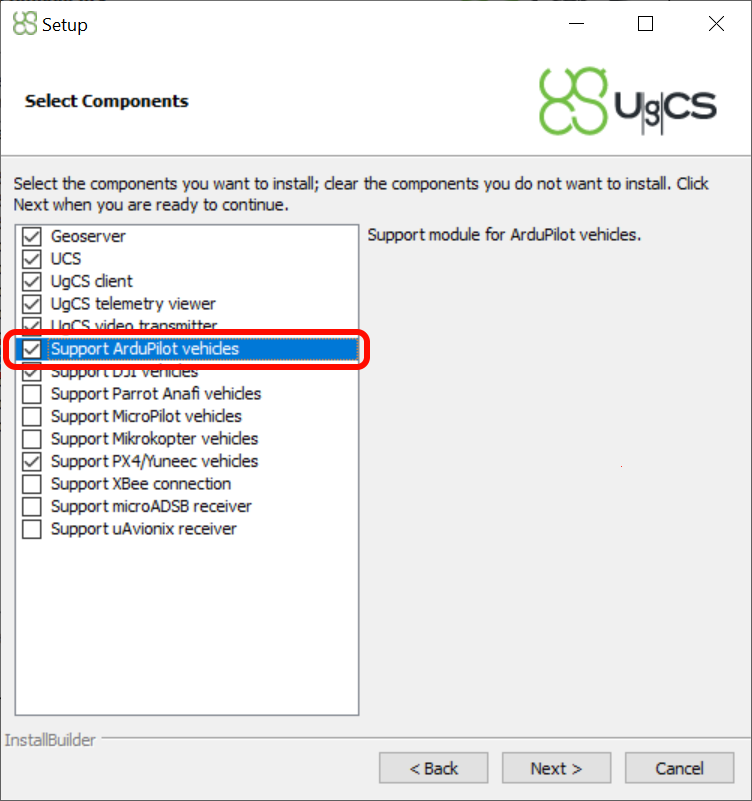
UgCS installation Support for ArduPilot vehicles#
Configure
UgCS ArduPilot VSM. Openvsm-ardupilot.confin a text editor with administrator privileges. The file is located in the UgCS installation folder (default pathC:\Program Files (x86)\UgCS\bin). Find, uncomment, and adjust the following settings if needed.
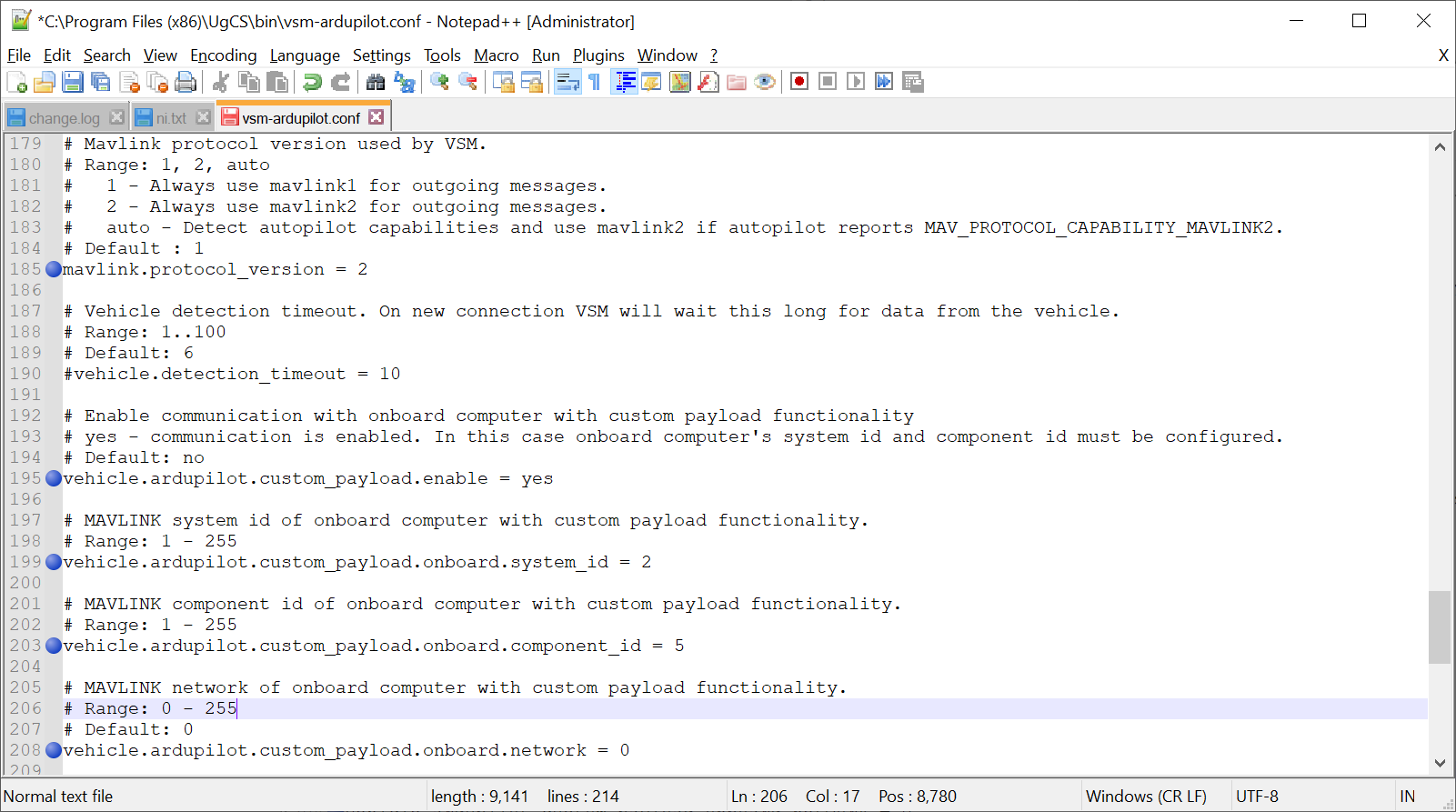
ArduPilot VSM configuration file#
Connect the SkyHub to the drone and power on the system.
Launch the UgCS-CPM software on your computer.
Navigate to “Settings”, from the drop-down list select “SkyHub Autopilots” and enable “MAVLINK”.
Note
Only one autopilot may be enabled at a time. In this case, DJI should be disabled.
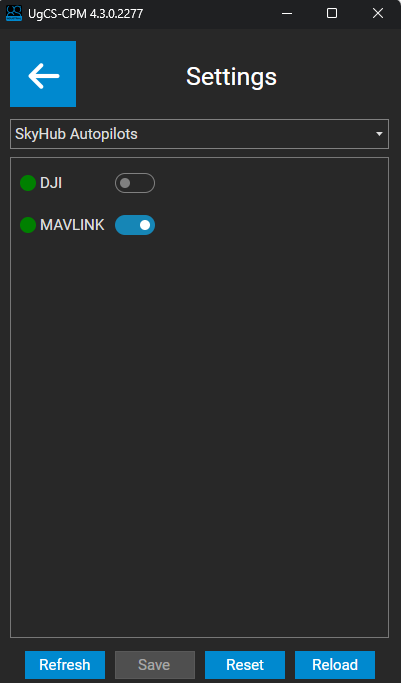
MAVLINK autopilot#
Restart the system.
After the connection is reestablished, launch the UgCS-CPM and navigate to “Settings” and from the drop-down list select “MAVLink settings”.
Make sure that the UgCS ArduPilot VSM parameter
vehicle.ardupilot.custom_payload.onboard.component_idis equal to theComponent IDvalue in the MAVLink settings within the UgCS-CPM.Make sure that the V2 Extension parameter is enabled.
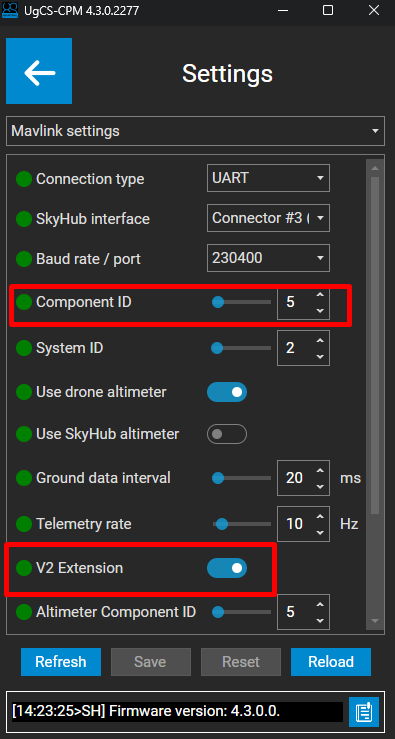
MAVLINK settings#
Open the Mission Planner application, connect it to the vehicle autopilot and check the serial port settings used for SkyHub communication. Check the port configured baud rate. Speed should be the same as configured in the MAVLink settings within the UgCS-CPM (recommended 230400). If adjustment is needed, don’t forget to write them and restart the autopilot.
Check communication between SkyHub and the autopilot. Using Mission Planner, open Setup -> Advanced -> MAVLink inspector.
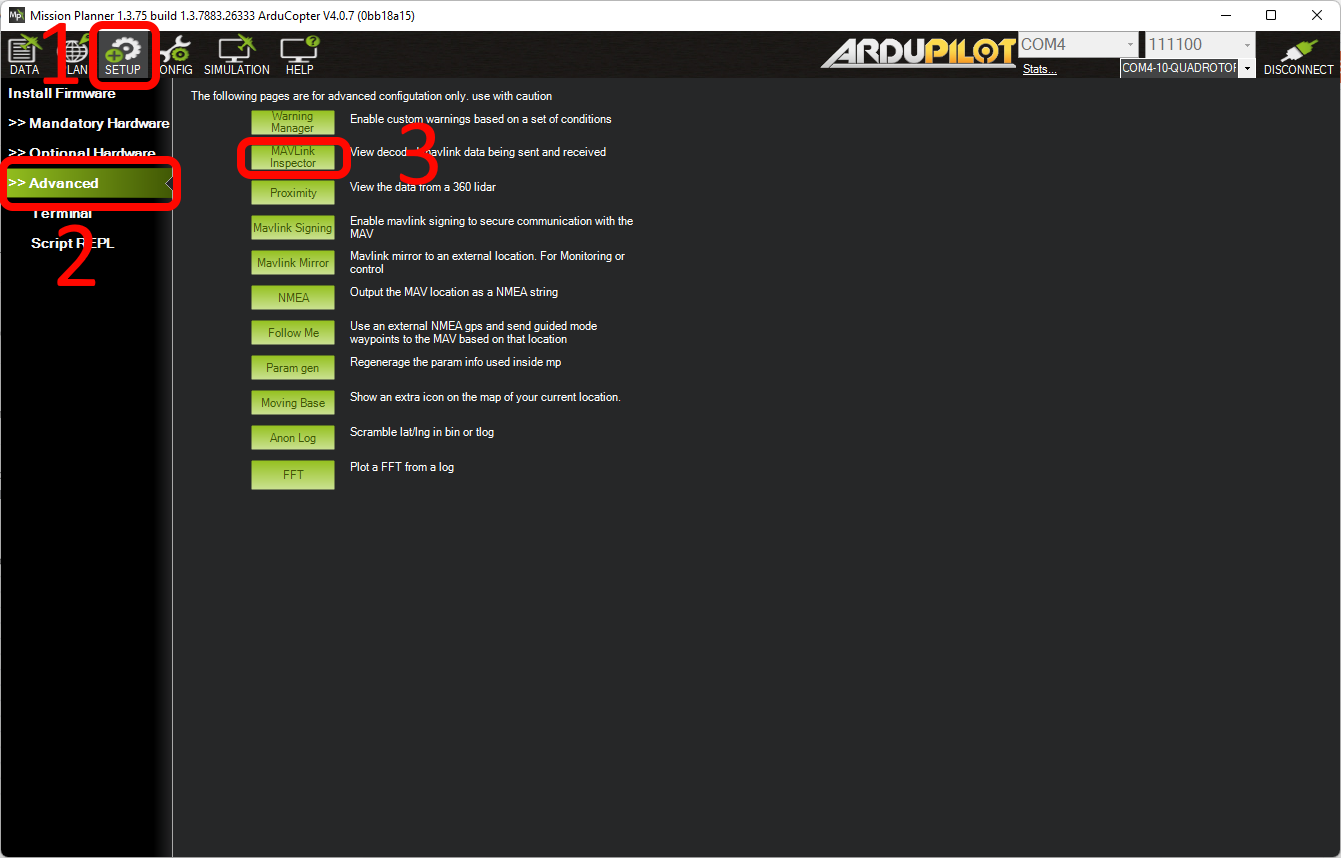
Mission Planner MAVlink inspector#
In case of correct connection and configuration, the MAVLink inspector shows communication between SkyHub and the autopilot.
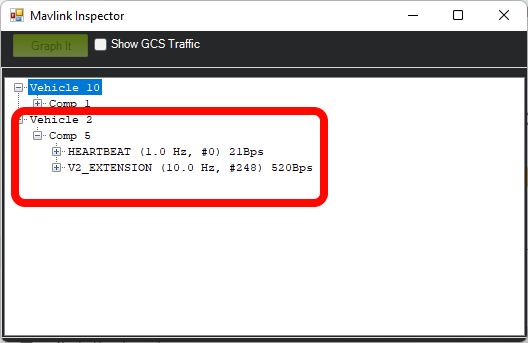
Mission Planner MAVlink inspector data#
Note
Vehicle 2 and Comp 5 correspond to System ID (2) and Component ID (5) fields in the MAVLink settings (UgCS-CPM).
In case of correct autopilot, UgCS and CPM configuration, Payload data b64 is displayed in the drone telemetry in UgCS.
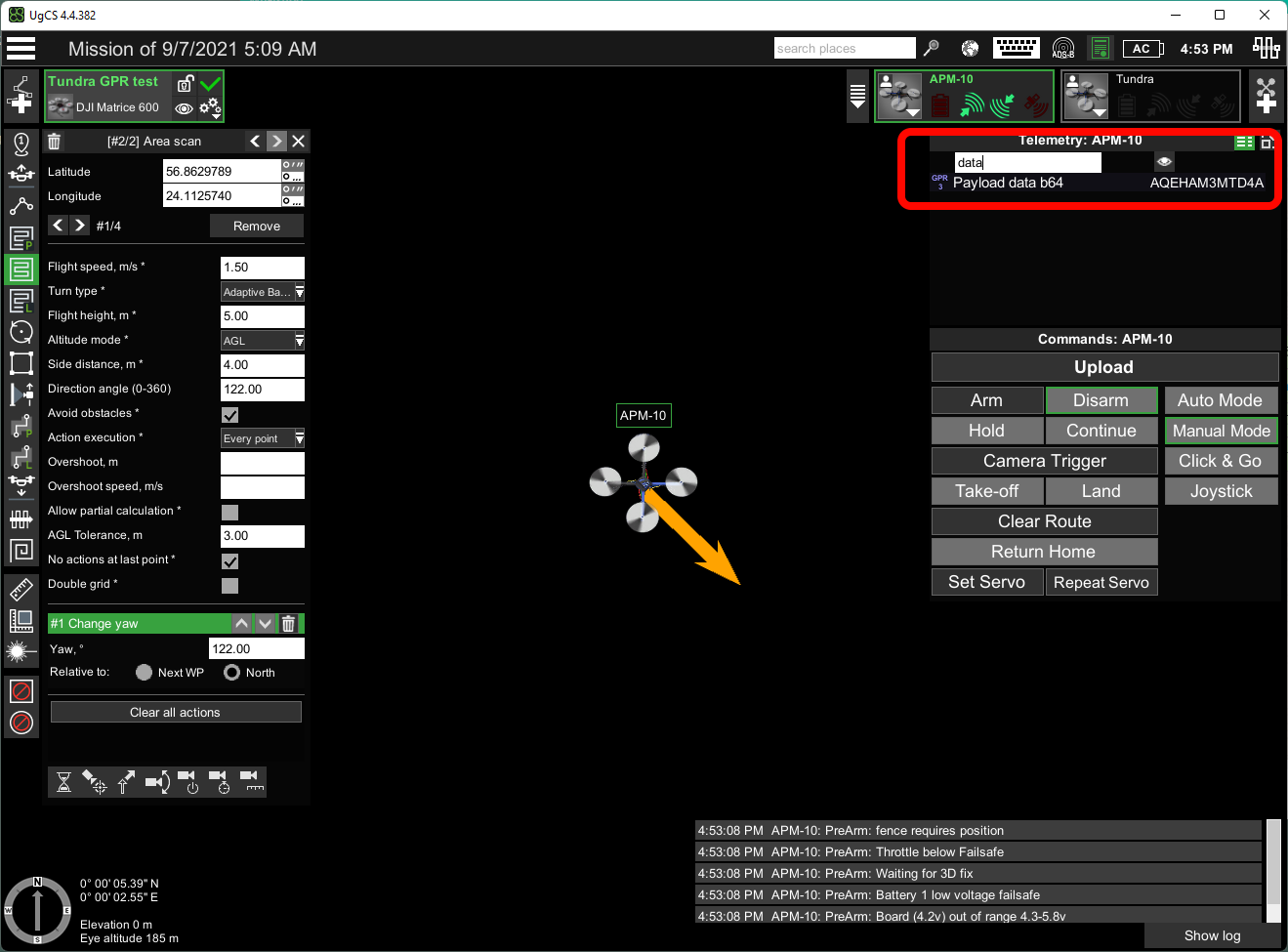
UgCS, drone telemetry#