2. Assembling#
Attach both mounting kits on the back side of the SkyHub.
Plug in the drone link cable (Red) to the third connector (Red) on the SkyHub.
Plug the power cable into either the first or second power port on SkyHub.
Plug in a USB cable to the DJI OSDK port on the drone (note that the USB can only be plugged in one direction; use the railing on the connector as guidance).
Attach the anchor cable to the case of the drone beneath the DJI OSDK port.
SkyHub assembly on the drone is complete.
Visual instructions on how to mount SkyHub and an altimeter are available in the video below:
You can also watch it directly on YouTube.
2.1. Power-on checks#
The cable connecting SkyHub and DJI M350 RTK drones has built-in LED indicators. You can check the connection status by examining them:
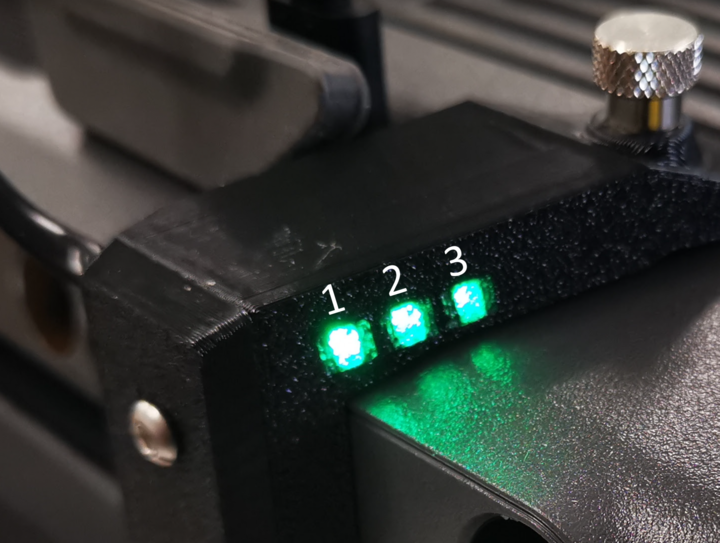
Numbered LEDs on cable#
LED1 lights up when power is coming from the drone.
LED2 blinks when there is communication from the drone.
LED3 blinks when there is communication from SkyHub.
LED2 lights up fully when the connection is established.